Better Lives Through Visual Information®
EarthCam imagery & CMiC's easy to use platform
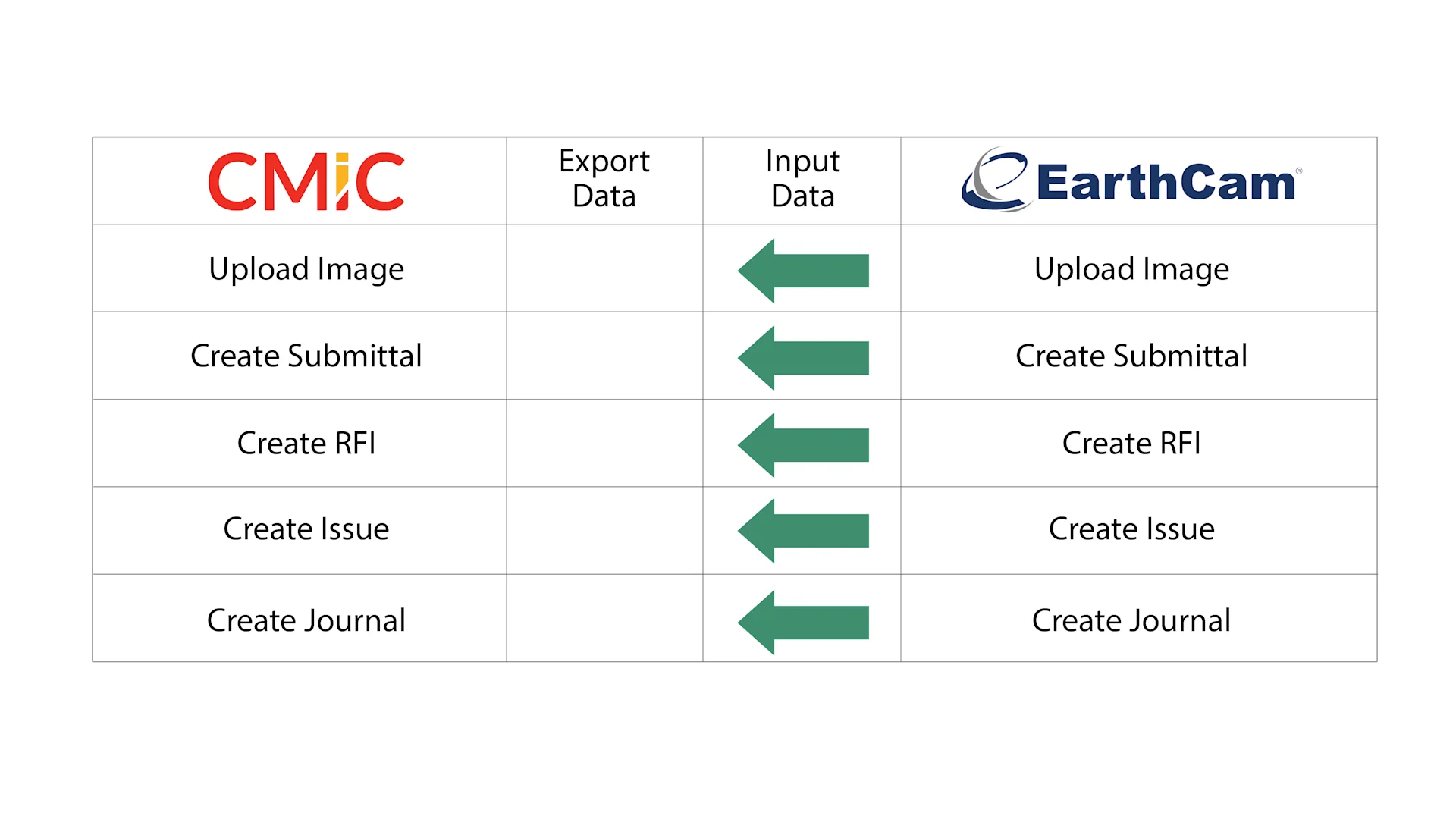
Deliver high-quality, live-streaming, continuous AI data analytics and gigapixel panoramic imagery to CMiC by connecting EarthCam's Control Center 8 software. Unify back-office and field operations by providing instant, data-infused, annotated imagery from the jobsite.
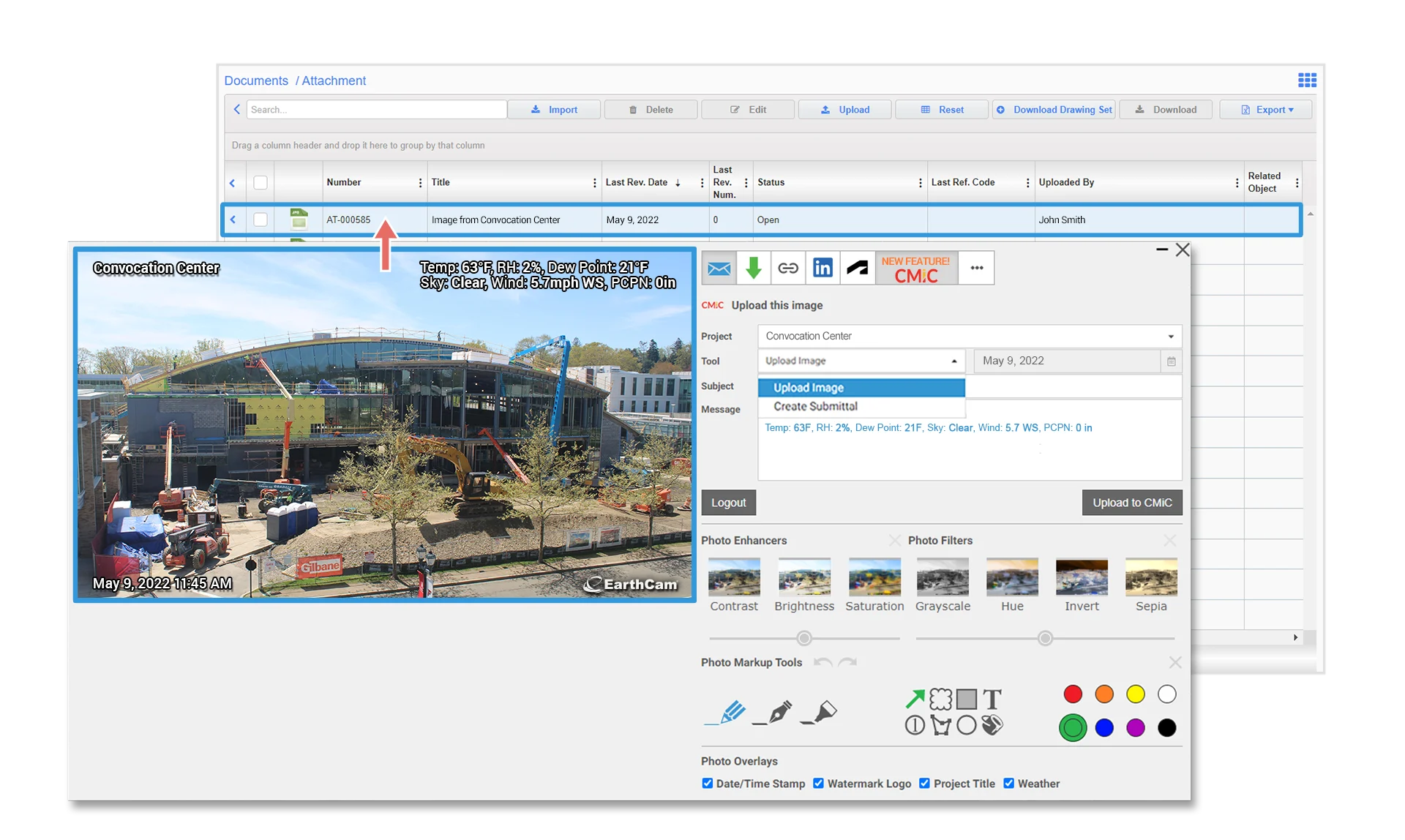
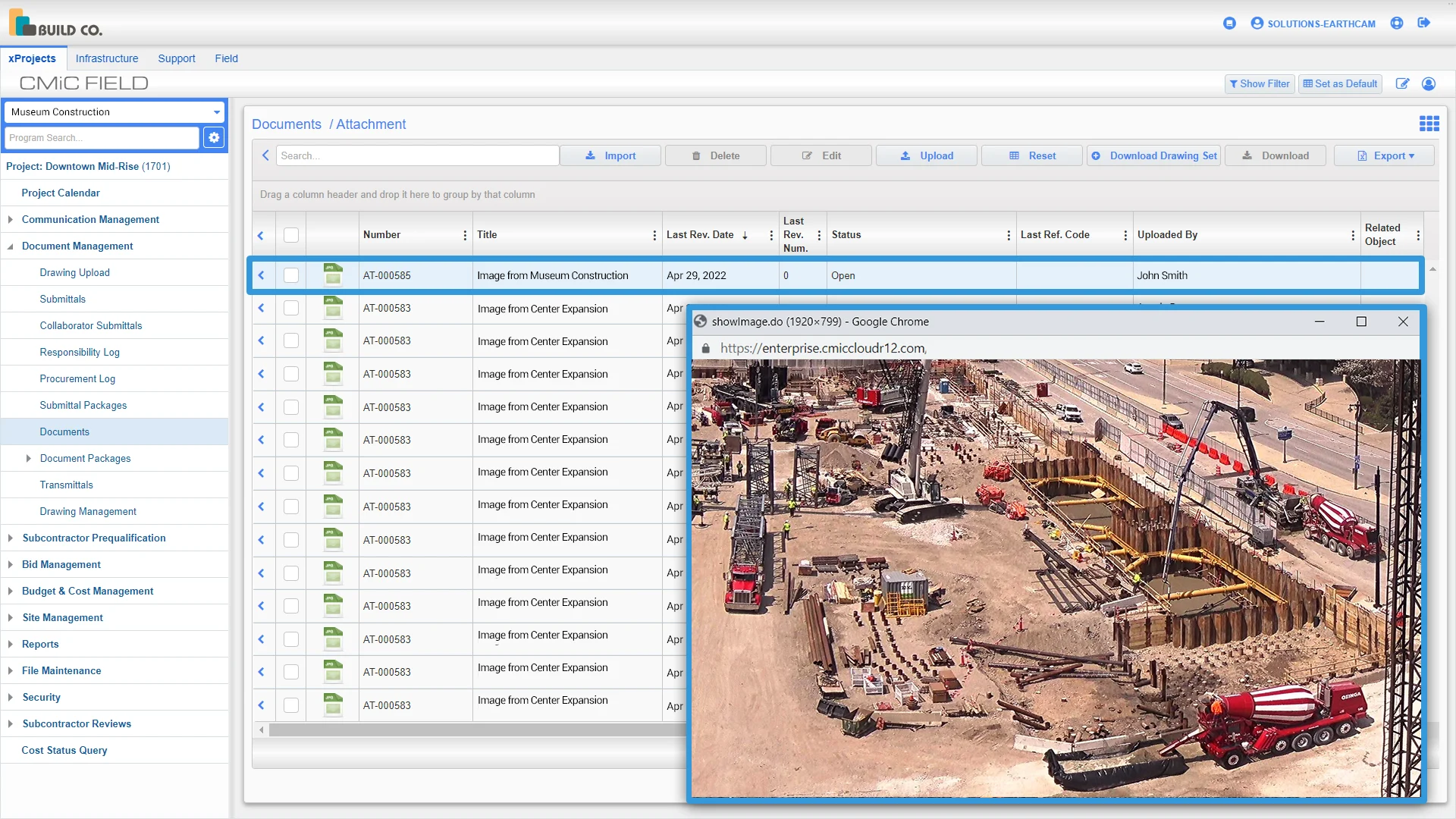
Add Visual Data Directly into CMiC Field
EarthCam's Control Center 8 software easily connects with CMiC, delivering accurate visual information to ensure frictionless and efficient workflow.
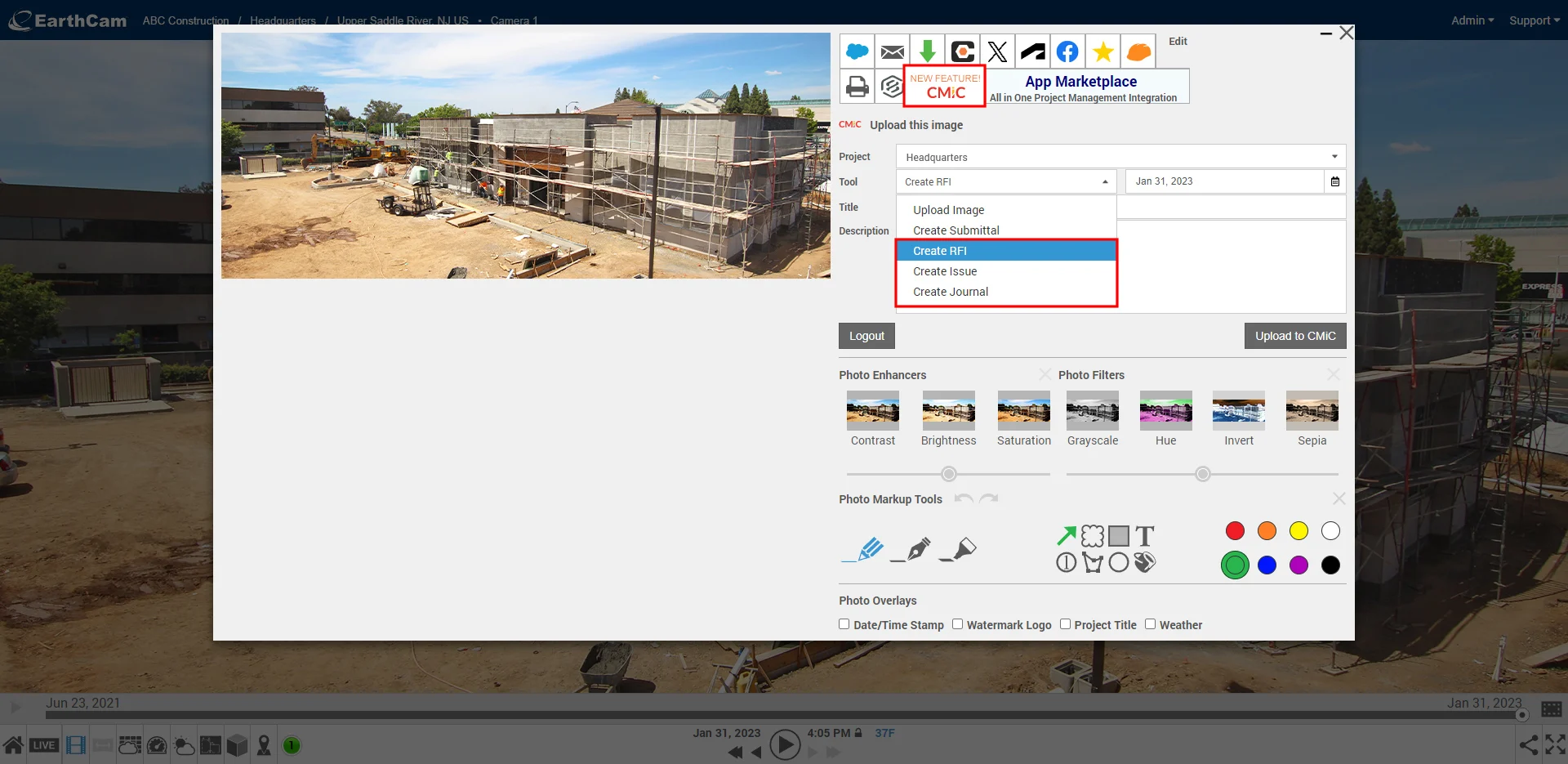
Add Actionable Metadata to Daily Reporting
Include informative metadata such as weather, project title, and date/time stamp. Create a more informed jobsite with real-time updates that add key value.

Live Weather Service
An onsite, wireless, solar-powered sensor array detects and calculates 16 points of weather and environmental data. This data is combined with NOAA observed conditions to predict and document weather events more accurately, and alert project management in seconds instead of hours.
License Requirements
EarthCam’s CMiC Integration is free for all EarthCam clients
Using any of our 5 tools requires Write access to that area
Users do not need an EarthCam Administrator account to use our integration with CMiC
Contact Info
Contact EarthCam – Inquiries may be sent from https://earthcam.net/support/contactus.php
Support Website – From the EarthCam All Access Dashboard, select the Bell Icon on the camera you’d like to submit a ticket for
Support Phone Number – Contact Technical Support by phone at 1-201-403-2900 or international 1-201-488-1111